I manage social media for a small clothing brand, and last month I spent two hours designing a gorgeous carousel post — product shots, lifestyle images, pricing, a call to action. Uploaded it to Instagram and immediately noticed the problem: the bottom 15 percent of every image was getting cropped off in the feed view. The prices and sizing information on the final slides? Gone. Cut off by Instagram's automatic cropping because I'd used the wrong aspect ratio. Two hours of work, wasted because I couldn't be bothered to check the dimensions before designing.
Instagram has become one of the most dimension-specific platforms on the internet. Every content type — feed posts, Stories, Reels, carousels, profile pictures, ads — has its own optimal dimensions. Upload an image that doesn't match, and Instagram will crop it, compress it, or display it with ugly black bars. The platform changes its specs periodically too, so the dimensions that worked last year might not be optimal this year.
This is the definitive, up-to-date guide for 2026. Every dimension, every format, every content type. Bookmark it, reference it before every design, and never get cropped again.
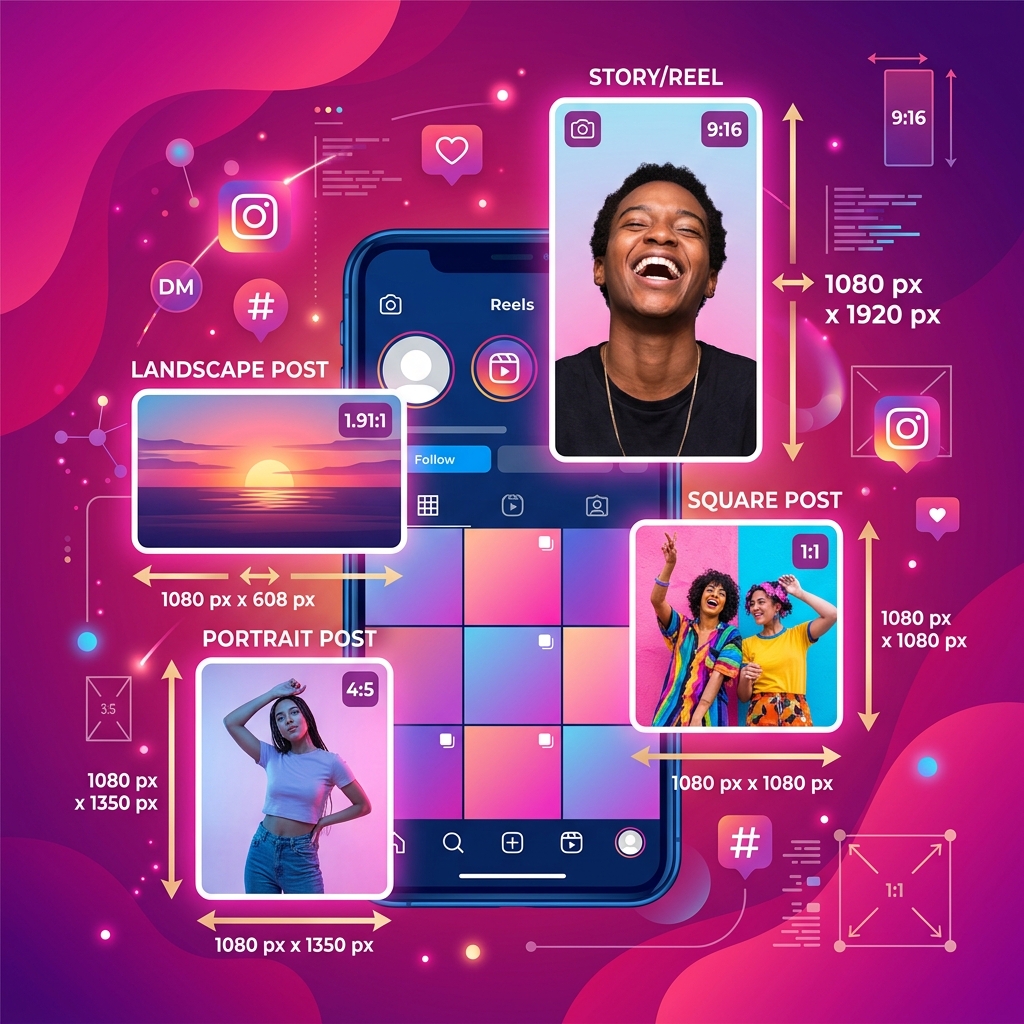
Quick Reference Table
| Content Type | Dimensions (px) | Aspect Ratio | Format |
|---|---|---|---|
| Square Feed Post | 1080 × 1080 | 1:1 | JPG/PNG |
| Portrait Feed Post | 1080 × 1350 | 4:5 | JPG/PNG |
| Landscape Feed Post | 1080 × 566 | 1.91:1 | JPG/PNG |
| Stories | 1080 × 1920 | 9:16 | JPG/PNG/MP4 |
| Reels | 1080 × 1920 | 9:16 | MP4 |
| Reels Cover Image | 1080 × 1920 | 9:16 | JPG/PNG |
| Carousel Post | 1080 × 1080 or 1080 × 1350 | 1:1 or 4:5 | JPG/PNG |
| Profile Picture | 320 × 320 | 1:1 | JPG/PNG |
| Instagram Ad (Feed) | 1080 × 1080 | 1:1 | JPG/PNG |
| Instagram Ad (Stories) | 1080 × 1920 | 9:16 | JPG/PNG/MP4 |
Feed Posts: The Core Content
Square Posts (1080 × 1080)
The classic Instagram format. Square posts are still the safest choice because they display identically in the feed, on the grid, and in the Explore page. There's no cropping involved — what you upload is exactly what people see. For brands maintaining a clean, consistent grid aesthetic, square posts are the way to go.
Pro tip: design at 1080×1080 pixels, not larger. Instagram compresses images during upload, and larger files don't result in higher quality on the platform — they just take longer to upload and may actually be compressed more aggressively. 1080px is the native display width.
Portrait Posts (1080 × 1350) — The Engagement Winner
The 4:5 portrait format takes up more vertical screen real estate in the feed than square or landscape posts. On a phone, a 4:5 image fills nearly the entire screen height, which means the user is looking at your content and nothing else — no competing posts visible above or below. This is why 4:5 consistently outperforms other ratios for engagement. If you're posting a single image and want maximum impact, use 1080×1350.
The catch: on your profile grid, 4:5 images are displayed in a square crop. Instagram shows the center portion, cutting off the top and bottom. Design with this in mind — keep critical elements in the center square area of the image so nothing important gets lost on the grid.
Landscape Posts (1080 × 566)
The least engaging format on Instagram because it takes up the least vertical space in the feed. A landscape image on a phone screen leaves room for other posts and distractions above and below. I generally avoid landscape format for Instagram unless the image absolutely requires it (panoramic shots, wide establishing shots).
Stories: Full-Screen Vertical
Stories use 1080 × 1920 pixels (9:16 aspect ratio), which fills the entire phone screen. This is the same ratio as standard smartphone screens, making Stories feel immersive and full-bleed.
Critical design considerations for Stories:
- Safe zone: Keep all important content — text, logos, calls to action — within the center 1080 × 1420 area. The top ~250 pixels are partially covered by the profile icon and story title, and the bottom ~250 pixels may be covered by the "Reply" bar and swipe-up/link elements.
- Text readability: Stories are viewed on small screens, often quickly. Use large, bold text (24pt minimum). High contrast between text and background. No more than 3 lines of text per Story frame.
- File size: Stories are compressed aggressively by Instagram. Keep image files under 2 MB and use high quality but not excessive resolution. Our Image Compressor can optimize images specifically for this purpose.
Reels: The Reach Machine
Reels use the same 1080 × 1920 (9:16) dimensions as Stories, but they're displayed differently depending on context. In the Reels tab, they're full-screen. In the main feed, they're displayed in a 4:5 crop. This dual-display creates a design challenge.
The solution: design your Reels content so that the most important elements — text overlays, key visuals, faces — are within the center 4:5 area (roughly the middle 1080 × 1350 pixels of the 1080 × 1920 frame). This ensures nothing important gets cropped when the Reel appears in the feed. Background elements can extend to the full 9:16 area for the immersive Reels tab view.
Reels Cover Image
This is the thumbnail that represents your Reel on your profile grid. You can either select a frame from the video or upload a custom cover image. Custom covers are 1080 × 1920, but they display in a square crop on your grid. Same rule applies: keep the important stuff centered in the middle square area.
Carousel Posts: Multi-Image Storytelling
Carousels can contain up to 20 images or videos. The first image's aspect ratio determines the ratio for all subsequent images in the carousel — you can't mix square and portrait within the same carousel.
My recommendation: use 1080 × 1350 (4:5) for carousels whenever possible. The taller format gives each slide more screen presence, and carousels already get higher engagement than single-image posts. Combining the engagement advantage of carousels with the screen-domination advantage of 4:5 is a powerful combo.
Carousel design tip: make your first image a hook that stops the scroll, and include a clear visual cue (an arrow, "Swipe →" text, or a cut-off visual) that encourages swiping. Carousels that don't signal "there's more" often get mistaken for single-image posts.
Profile Picture
Instagram profile pictures display at 110 × 110 pixels on mobile and 180 × 180 on desktop. Upload at 320 × 320 minimum (Instagram stores it at this resolution). The image is displayed in a circle, so corners will be hidden — keep all important elements within a centered circular area.
For brands: your logo should be simplified for profile picture use. A detailed logo with fine text will be unreadable at 110 pixels. Use the icon or emblem portion of your logo, not the full wordmark. High contrast colors ensure it's recognizable even at tiny sizes.
Image Quality and Compression Tips
Instagram compresses every image you upload. You can't avoid it, but you can minimize the damage:
- Upload at exactly the target dimensions. Don't upload a 4000×4000 image when Instagram only needs 1080×1080. Larger images get downscaled and re-compressed, which doubles the quality loss.
- Use JPEG at 95% quality for photographs. PNG is technically better quality, but Instagram converts everything to JPEG anyway. Starting with a high-quality JPEG avoids the PNG-to-JPEG conversion quality loss.
- Use PNG for graphics with text and sharp edges. Text, logos, and flat-color graphics look noticeably better when uploaded as PNG because the PNG-to-JPEG conversion preserves more edge sharpness than JPEG-to-JPEG recompression.
- Avoid re-uploading the same image multiple times. Each upload cycle adds another round of compression. Keep originals and always upload from the source file.
- Use our Image Resizer to hit the exact pixel dimensions before uploading — this prevents Instagram from having to resize your image and apply additional compression during the process.
Getting your Instagram dimensions right isn't glamorous, but it's the foundation that everything else is built on. The best content strategy, the most brilliant captions, the most on-brand visuals — all of it falls flat if Instagram is cropping your key message, compressing your beautiful product shot into a blurry mess, or displaying your video with black bars. Size it right, and let your content do what it was designed to do.
Resize Images for Instagram Instantly
Use our free Image Resizer to hit exact Instagram dimensions — 1080×1080, 1080×1350, 1080×1920, or any custom size. No signup required.
Resize for Instagram →