A restaurant owner I know went through three different QR code systems before finding one that actually matched his brand. The first was a standard black-and-white code that looked like a barcode from a shipping label — functional but hideous, taped to his carefully curated rustic-industrial tables. "It looked like we couldn't afford real menus," he told me. The third version — a custom QR code in his brand's deep burgundy, with his logo embedded in the center and rounded corners on the modules — looked like it was designed to be there. Customers actually complimented it.
QR codes have gone from a novelty technology that nobody used to an essential part of everyday life. Restaurant menus, event tickets, payment systems, product packaging, business cards, real estate signs, museum exhibits — they're everywhere. And yet most QR codes still look like they were generated by a developer in 2010: black squares on white background, no personality, no brand recognition, no design consideration whatsoever.
Custom branded QR codes fix this. They scan just as reliably as standard codes (sometimes more reliably, thanks to error correction), but they actually look like they belong on your marketing materials. This guide covers how QR codes work, why customization is possible, how to design branded codes that scan perfectly, and the mistakes that make custom codes fail.
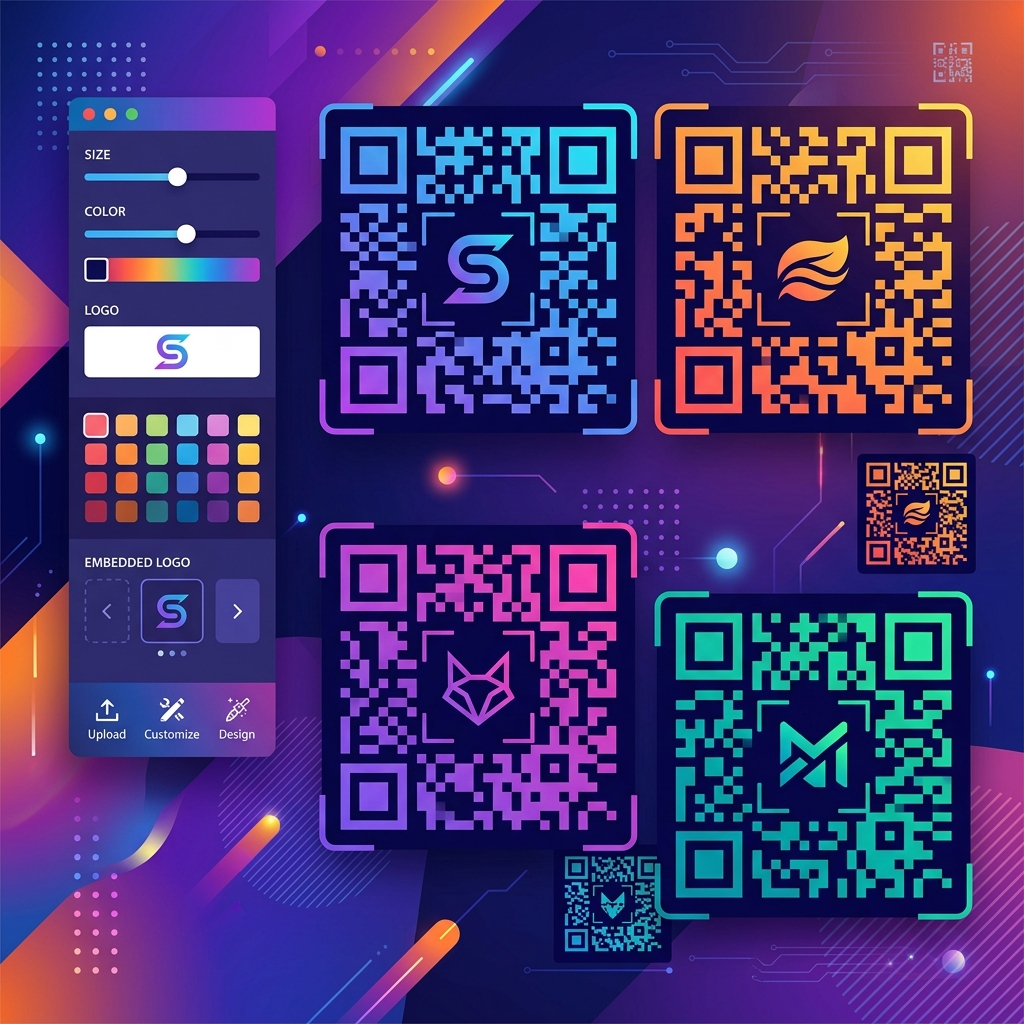
How QR Codes Work (The Simplified Version)
A QR code is essentially a two-dimensional barcode that encodes text data — usually a URL, but it can be any text string. The black and white squares (called "modules") represent binary data: black is 1, white is 0. A scanner reads the pattern of modules and decodes the binary data back into the original text.
What makes customization possible is a feature called error correction. QR codes intentionally include redundant data — extra copies of the encoded information — so that the code can still be read even if part of it is damaged, obscured, or missing. There are four levels of error correction:
- Level L (Low): Recovers up to 7% of damaged data. Smallest code size.
- Level M (Medium): Recovers up to 15% of damaged data. Default for most generators.
- Level Q (Quartile): Recovers up to 25% of damaged data.
- Level H (High): Recovers up to 30% of damaged data. Largest code size, but most resilient.
This error correction is what allows you to place a logo in the center of a QR code. When you cover part of the code with an image, you're essentially "damaging" that portion. As long as the damage doesn't exceed the error correction capacity, the code scans perfectly. Level H error correction means you can obscure up to 30 percent of the code — more than enough for a centered logo.
Designing a Branded QR Code: Step by Step
Step 1: Choose Your Error Correction Level
If you plan to add a logo, use Level H (High) error correction. This gives you maximum room for customization. If you're only changing colors without adding a logo, Level M is sufficient. Never use Level L for branded codes — there's zero margin for any visual customization.
Step 2: Pick Your Brand Colors
The most impactful customization is color. Replace the standard black modules with your brand's primary color, and optionally replace the white background with a complementary light color. The key constraint: maintain high contrast between the modules and the background.
Rules for color customization:
- Dark modules on light background. Always. This is how QR scanners are optimized to read. Dark blue on white, dark green on cream, dark red on light gray — all work perfectly.
- Never use light modules on a dark background without testing extensively. While some modern scanners handle inverted codes, many — especially older phones and budget devices — fail to read them. It's not worth the risk.
- Avoid low-contrast combinations. Yellow modules on a white background, light gray on white, pastel on pastel — all of these will cause scan failures. The contrast ratio should be at least 4:1.
- Gradients are risky. A gradient across the modules can cause parts of the code to fall below the contrast threshold. If you use a gradient, keep it subtle and test the code thoroughly.
Step 3: Add Your Logo
The center of a QR code is the optimal logo placement because it overlaps with data modules that are covered by error correction. Guidelines for logo placement:
- Keep the logo within 20-25% of the total QR code area. Even with Level H error correction (30% capacity), leaving a 5-10% safety margin ensures reliability.
- Use a simplified logo version. Your full wordmark with tagline won't be readable at QR code sizes. Use your icon mark, monogram, or simplified brand symbol.
- Add a white or light-colored border around the logo. This prevents the logo from blending into surrounding modules, which helps both readability and aesthetics.
- Keep the logo shape simple. Circles and squares work best. Complex, irregular logo shapes can interfere with surrounding modules unpredictably.
Step 4: Customize Module Shapes (Optional)
Advanced QR customization includes changing the shape of individual modules. Standard modules are perfect squares, but you can use rounded squares, circles, dots, or even custom shapes. The three large position markers (the big squares in three corners) can also be styled — rounded corners, different colors, or custom frames.
The position markers (also called "finder patterns") are the most visually dominant elements in a QR code. Customizing just these three elements — giving them rounded corners, brand colors, or custom borders — can dramatically change the look of the code even without modifying anything else.
Where Branded QR Codes Make the Biggest Impact
Print Marketing
Business cards, brochures, flyers, posters, and packaging. A branded QR code that matches your design language looks intentional and professional. A generic black-and-white code looks like an afterthought taped on at the last minute.
Product Packaging
Consumer packaged goods (CPG) brands use QR codes on packaging to link to product information, recipes, warranty registration, and augmented reality experiences. A branded code that matches the packaging design feels integrated rather than intrusive.
Restaurant Menus
Post-pandemic, QR code menus are standard. A branded code printed on a table card or etched into a table marker that matches the restaurant's aesthetic is far more appealing than a sticker with a generic code.
Event Marketing
Conference badges, event posters, ticket stubs, and wristbands. A custom QR code in the event's brand colors with the event logo creates a cohesive visual identity.
Common QR Code Design Mistakes
- Not testing after customization. The number one mistake. Every customized QR code must be tested on at least 3 different devices (iPhone, Android, older phone) in at least 2 lighting conditions (bright, dim) before going to production. Test the actual printed version, not just the screen version.
- Logo too large. Exceeding the error correction capacity makes the code unscannable. If your logo covers more than 25% of the code area, it will likely fail on some devices.
- Insufficient quiet zone. QR codes need a white border (called the "quiet zone") around the entire code — at least 4 modules wide. Designs that bleed the code to the edge of a card or poster without this border cause scan failures.
- Printing too small. Minimum physical size for reliable scanning is approximately 2cm × 2cm (0.8 × 0.8 inches). Smaller codes work on high-resolution prints but fail on standard printers and when scanned from a distance.
- Encoding too much data. The more data in the code, the more modules are needed, and the denser the pattern becomes. Dense codes are harder to scan and leave less room for customization. Keep URLs short — use a URL shortener if necessary.
- Using raster formats at low resolution. Export your QR code as SVG (vector) whenever possible. If you must use a raster format, export at the maximum print resolution (300 DPI minimum). A blurry, pixelated QR code from a low-res PNG will fail to scan.
Branded QR codes occupy that sweet intersection of function and design where a utilitarian tool becomes a brand asset. The investment is minimal — most custom QR generators are free or very inexpensive — but the result is a code that reinforces your brand identity every time someone scans it. Just remember: test, test, test. A beautiful code that doesn't scan is worse than an ugly one that does.
Optimize Your QR Code Images
Resize your branded QR codes to exact print and digital dimensions, or convert between formats for any use case — all free online.
Explore All Image Tools →